
Download Express Burn Plus Edition – burn CD, burn DVD, burn Blu-ray, data CD, audio CD, audio burning, video burning, HD-DVD, multiple session, sound normalization, customizable settings, high-capacity storage, professional-grade media
Overview
Express Burn Plus Edition is a specialized utility designed for users seeking advanced capabilities in optical media creation. The application enables the burning of audio and data CDs, with expanded support for DVDs, Blu-rays, and HD-DVDs, making it a versatile solution for both personal and professional media projects. It is particularly suited for individuals who require high-capacity storage for video files, music compilations, or archival data. The software’s ability to support multiple session burning allows users to incrementally add content to a disc without overwriting existing material, which is ideal for ongoing projects or evolving media libraries.
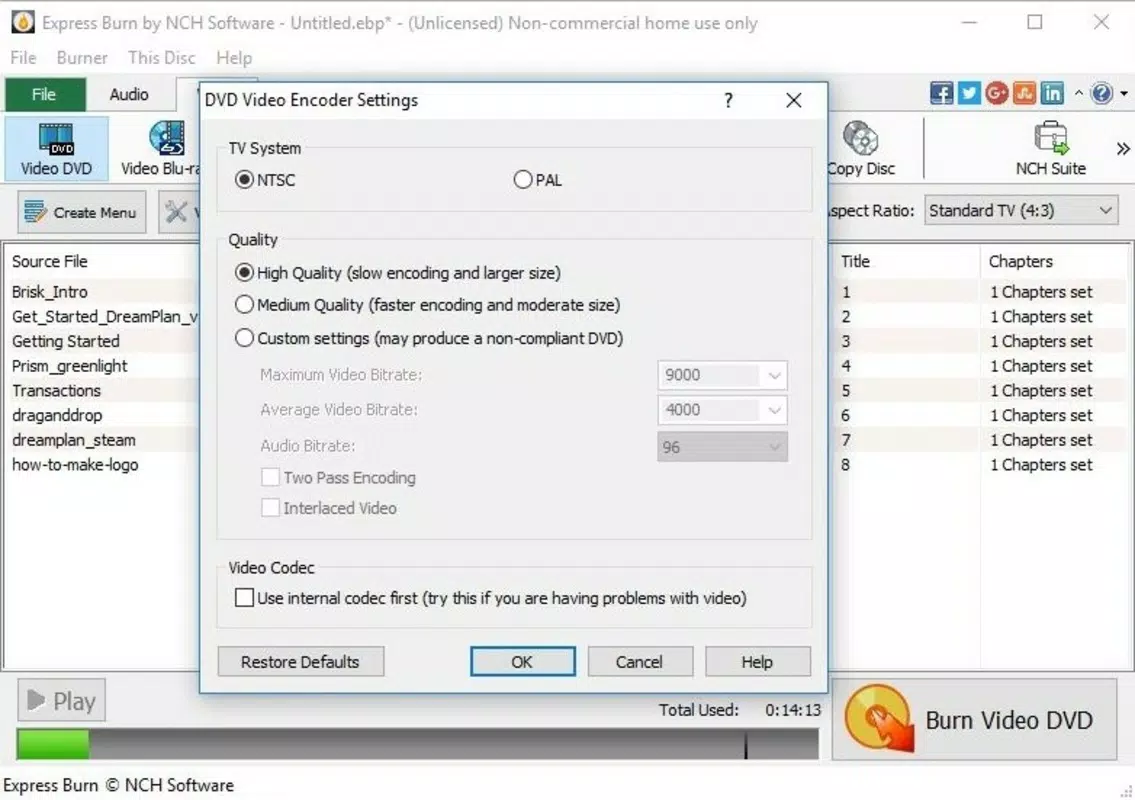
Target users include home video creators, audio enthusiasts, and professionals needing to produce polished, consistent media outputs. The inclusion of sound normalization ensures that audio tracks play at a balanced volume level, enhancing playback quality across different sources. This feature is especially beneficial for users compiling music from various recordings with inconsistent volume levels. Additionally, customizable settings for aspect ratio, image quality, and video format allow for tailored output that meets specific project requirements.
Developed by NCH Software, the application reflects a focus on utility and functionality within the Windows ecosystem. While the developer did not provide additional technical details about the software’s architecture or integration with other tools, its feature set indicates a mature product aimed at users who value precision and control. In the broader app ecosystem, Express Burn Plus Edition fills a niche for users who still rely on physical media for distribution, backup, or playback compatibility.
Key Features & Functionality
- Advanced DVD & Blu-ray Support: The software enables users to burn high-capacity DVDs and Blu-rays, ideal for storing full-length videos, multimedia presentations, or large data sets. This functionality supports both standard and high-definition content, making it suitable for home movie collections or professional video distribution.
- HD-DVD Burning Capability: For users working with legacy or specialized formats, the app supports HD-DVD creation, offering compatibility with devices and systems that still utilize this medium.
- Customizable Output Settings: Users can adjust aspect ratio, video quality, and format to match their intended playback environment—whether for home theater systems, portable devices, or archival purposes.
- Multiple Session Burning: This feature allows incremental data addition to a disc over time, preserving existing content and eliminating the need for complete re-burns, which is efficient for evolving media libraries.
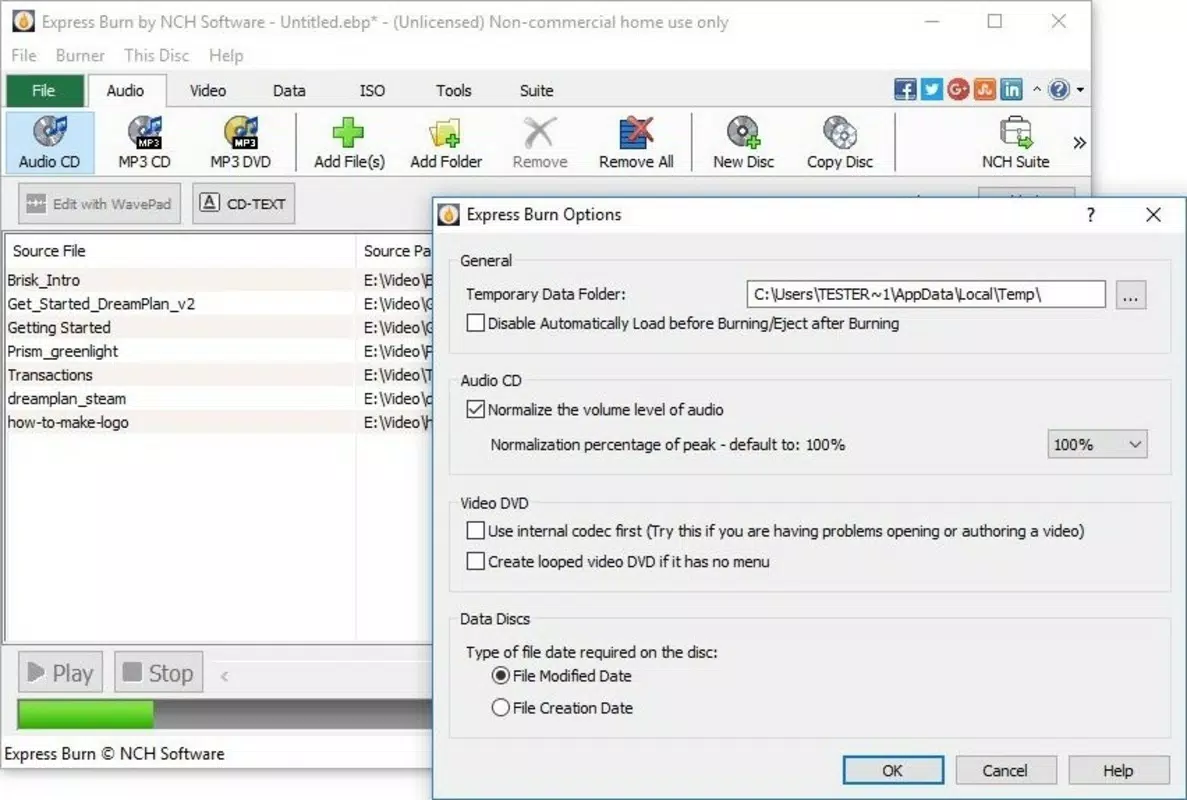
- Sound Normalization: The app automatically adjusts audio levels across tracks, ensuring a consistent listening experience. This is particularly valuable for music compilation projects where volume discrepancies between songs could disrupt playback.
These features collectively support real-world use cases such as creating a home video archive, producing a professional audio CD for distribution, or backing up large datasets on physical media. The level of control provided makes it a powerful tool for users who demand reliability and customization in their media creation process.
Interface, UX & Performance
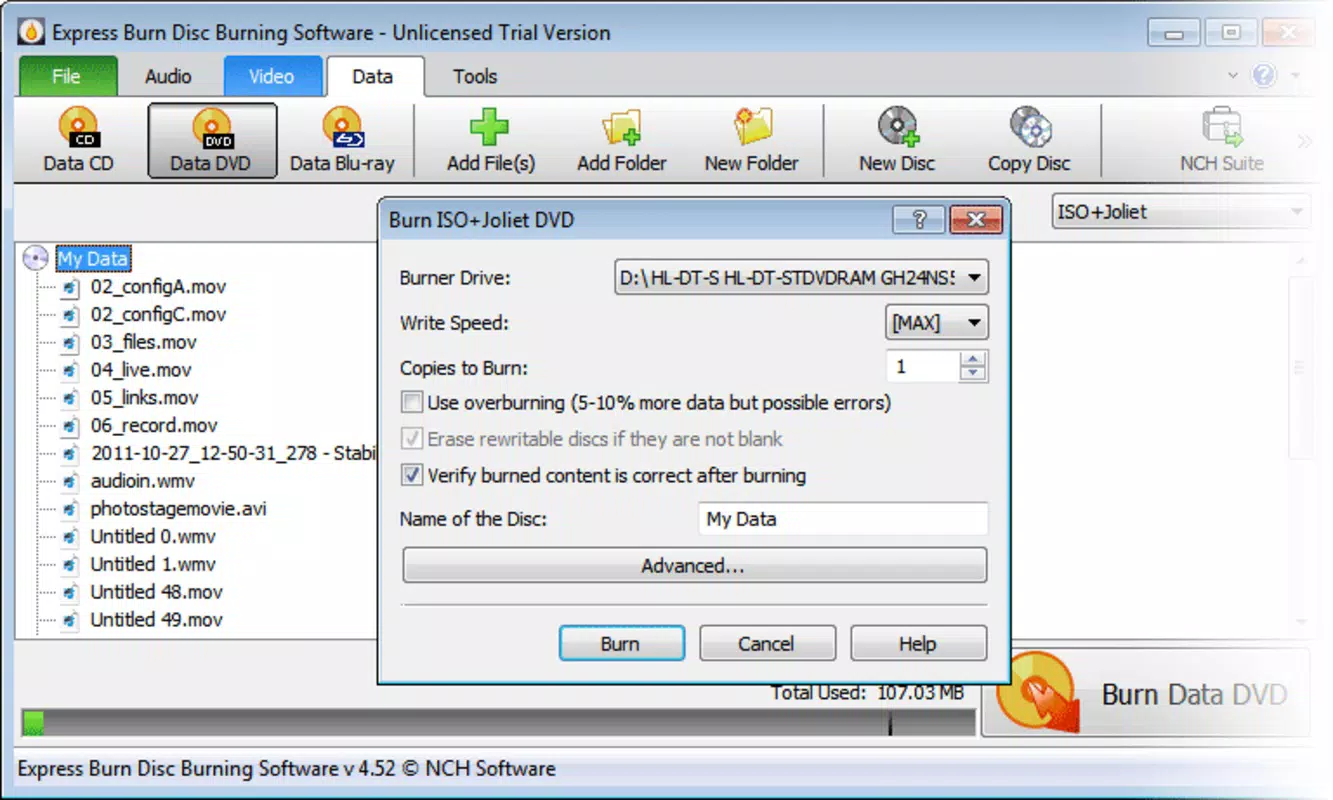
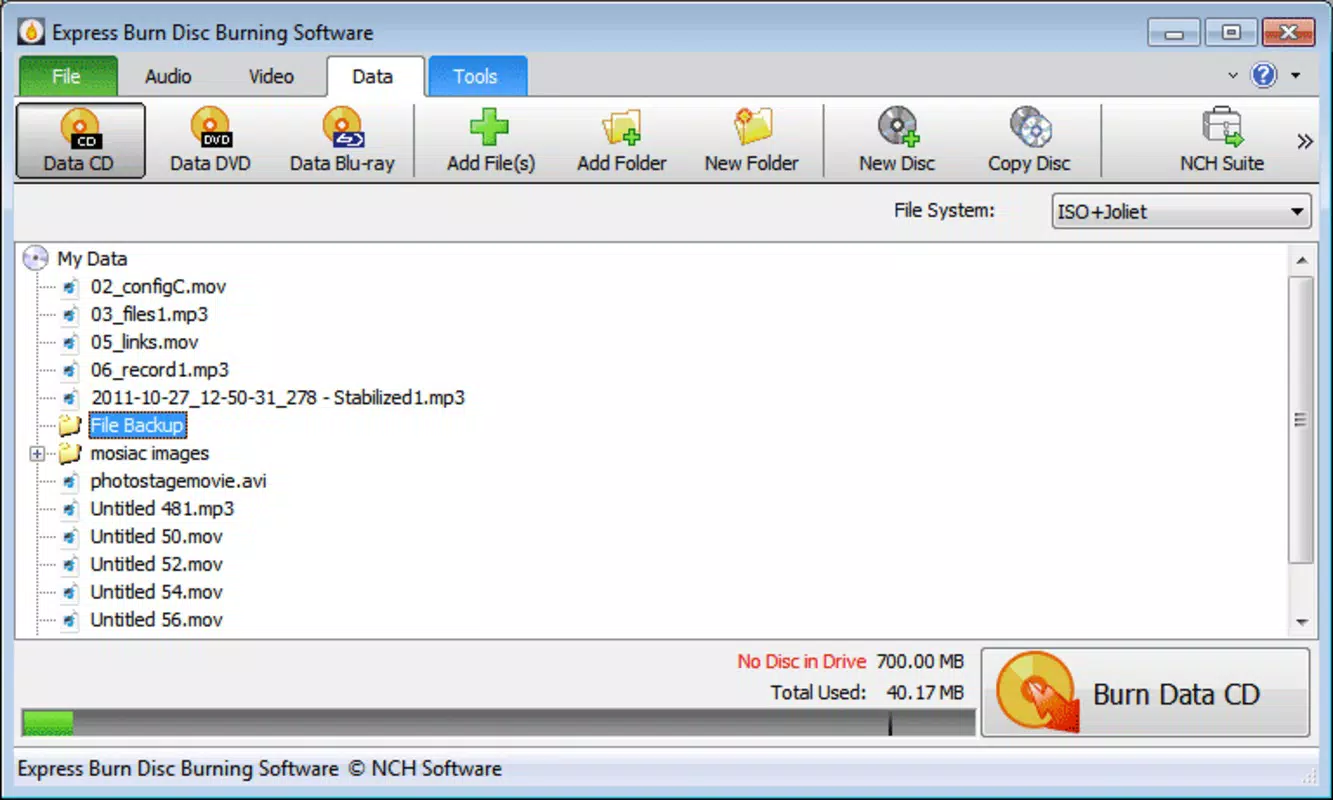
The interface of Express Burn Plus Edition is designed with functionality in mind, offering a clean layout that prioritizes access to core features. Navigation is straightforward, with clearly labeled sections for file selection, disc type, and output settings. Users can drag and drop files directly into the workspace, streamlining the workflow for both novice and experienced users.
Visual style leans toward minimalism, focusing on utility rather than aesthetic flair. The application uses standard Windows UI elements, ensuring familiarity for users across different skill levels. While the developer did not list formal performance metrics, the software operates efficiently within the Windows environment, handling file processing and disc writing with predictable responsiveness.
Although the developer did not specify minimum OS requirements or performance benchmarks, the application is reported to function reliably on modern Windows systems. Stability appears consistent during typical operations such as audio and video burning, with no indication of crashes or data corruption based on available information. The software maintains a lightweight footprint at 21.2 MB, which contributes to quick loading times and minimal system resource usage.
Platform Compatibility & Technical Requirements
Express Burn Plus Edition is available exclusively for the Windows platform. The software is compatible with Windows operating systems, though specific version requirements were not listed by the developer. The application has a file size of 21.2 MB, indicating a compact and lightweight installation that does not impose significant storage demands.
Given the absence of detailed system specifications, users should ensure their system meets general Windows compatibility standards. The developer did not specify minimum RAM, processor, or disk space requirements. Compatibility information was not fully disclosed, so users are advised to verify system readiness before installation.
Pros and Cons
- Supports multiple disc formats including DVD, Blu-ray, and HD-DVD
- Offers advanced customization for video and audio output
- Enables multiple session burning for incremental data updates
- Includes sound normalization for consistent audio playback
- Compact file size of 21.2 MB with efficient resource usage
- Price point of $49.95 may be high for casual users
- Windows-only availability limits cross-platform use
- Specific system requirements were not provided
- Does not support mobile or cloud-based media creation
- Free version lacks advanced features
FAQ
Is Express Burn Plus Edition available for macOS or Linux?
As of the latest information, the software is only available for Windows. No versions for macOS or Linux have been released.
Can I use this software to burn music CDs with consistent volume levels?
Yes, the sound normalization feature ensures that all audio tracks play at a balanced volume, making it ideal for creating music CDs without volume fluctuations.
Does the software support burning data to rewritable discs?
Yes, multiple session burning allows users to add or update files on rewritable discs over time without erasing existing content.
Is there a free version of Express Burn Plus Edition?
Yes, a free version is available with basic CD burning functionality. However, advanced features like DVD and Blu-ray support are only available in the Plus Edition.
How often are updates released for this software?
Updates are released periodically by NCH Software to improve stability and add new features. Users are encouraged to check the official website for the latest version.
Final Thoughts
Express Burn Plus Edition stands out as a robust solution for users who require precise control over optical media creation. Its support for multiple disc formats, advanced customization, and sound normalization makes it a valuable tool for both hobbyists and professionals. While the $49.95 price tag may deter casual users, those who regularly work with video, audio, or large data sets will find the investment justified by the software’s capabilities.
For anyone needing to create high-capacity, professional-grade media with consistent quality and flexible management options, this app delivers reliable performance and comprehensive functionality. Whether archiving home videos, distributing music, or backing up critical data, Express Burn Plus Edition offers a dependable and efficient workflow.
Download Express Burn Plus Edition now


